 WeSing AI
Game Content
Generate game CG, first-person gameplay shots, character PVs, and animated UI demos. H3 keeps HUD elements, menus, and character designs consistent from frame to frame.
Game CGUI DemosCharacter PV
Launch offer MiniMax H3 annual plans are 50% OFF
Turn text, images, audio, and clips into cinematic videos with native sound. MiniMax H3 understands all your references in one pass. Start free — no skills needed.
No input assets required.
Source preview · MiniMax H3 · MiniMax
No input assets required.
Source preview; generation with your selected model may differ.
Third-party creator preview, not a generation verified on h3max.io. The library prompt is an adaptation, reconstruction or workflow; results may differ. Original creator rights apply; source attribution retained.
integrated_multimodal_description: [Shot 1] Cinematic, medium wide shot, pushing in slowly. In the cavernous, dimly lit bridge of a starship, sleek metallic consoles with glowing amber displays flank a massive, curved observation window. A female captain, in her late 40s with an athletic build and short silver-streaked black hair, stands in the center midground. She wears a structured, high-collared dark navy military tunic with silver chest insignias. Her back is to the camera, silhouetted against the cool, ambient starlight pouring through the thick glass. She stands perfectly still with her hands clasped tightly behind her back. Outside the window, a massive armada of jagged, dark grey dreadnoughts hovers in tight formation against a deep purple space nebula. The fleet's massive rear thrusters begin to glow with an intense, escalating bright blue light. [Shot 2] At 00:04.500, the camera cuts to a close-up of the captain's face and shakes strongly. The brilliant blue-white light from the fleet's gathering energy reflects vividly in her dark eyes. Suddenly, a blinding white flash floods through the window, completely washing out the background as the fleet jumps to hyperspace. The sheer spatial force violently jolts the bridge, causing the captain from Shot 1 to stagger slightly forward, her shoulders tensing as she visibly braces herself against the physical tremors. As the intense white light fades abruptly, leaving only the dim, empty expanse of the purple nebula reflected on her starkly lit skin, her jaw clenches, and she slowly closes her eyes in the newly emptied space. overall_soundscape: A low, resonant hum of the ship's ambient life support systems serves as the baseline, soon drowned out by an audible, escalating, high-pitched electronic whine as the fleet outside charges its hyperdrives. A massive, deafening, bass-heavy boom and sharp crackle erupts during the blinding flash, accompanied by the loud metallic creaking, rattling, and deep thuds of the bridge's bulkheads vibrating under immense physical stress. The intense roaring impact then cuts abruptly back to a hollow, echoing room tone, leaving only the faint, steady hum of the isolated bridge. non_diegetic_music: Cinematic space-opera orchestral score, slow tempo, featuring a solitary, mournful French horn melody over deep, sustained string dissonances that build rapidly in volume and intensity, swelling to a massive orchestral peak before snapping immediately into silence right after the jump.
MiniMax H3 is a truly multimodal AI video generator. Mix up to 9 images, 3 video clips, and 3 audio tracks in a single request. H3 reads your characters, motion, camera moves, voices, and style together, then blends them into one coherent video with native stereo sound. Reference a face to keep it consistent, a dance clip to copy its choreography, or a voice sample to clone its tone — all at the same time.

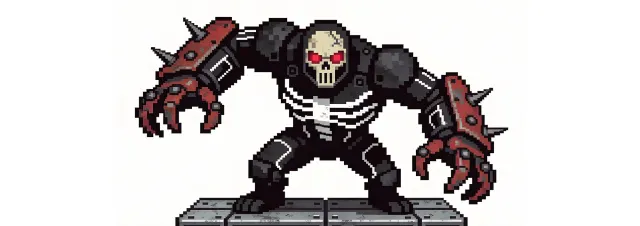
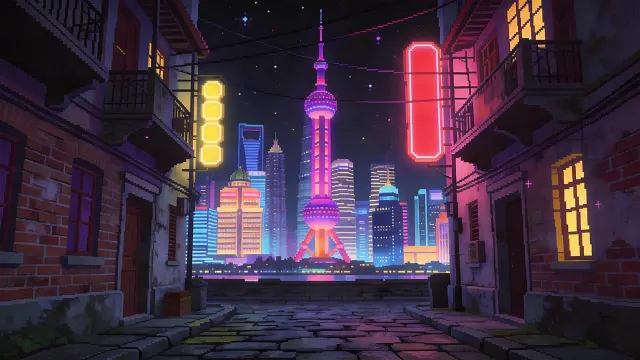
Prompt:Using the character actions and camera language from @Video 1, generate a combat sequence featuring the characters from @Image 1 and @Image 2, set against the background of @Image 3. The fight choreography and visual style should emulate the pixel-art, side-scrolling combat of the classic game Contra, including retro movement rhythms and arcade-style impact beats. Apply the background music from @Audio 1, and synchronize additional combat sound effects—hits, jumps, and weapon actions—with the on-screen fighting motions to enhance intensity and immersion.
Change anything without re-shooting. MiniMax H3 can swap characters and objects, replace backgrounds, relight a scene, rewrite dialogue, and clone voices — all from a plain-language instruction. Turn day into night, replace a green screen with a fairytale forest, or hand a character new lines in the same voice. Everything you didn't touch stays stable, so you can iterate on a video shot by shot like a director giving notes.
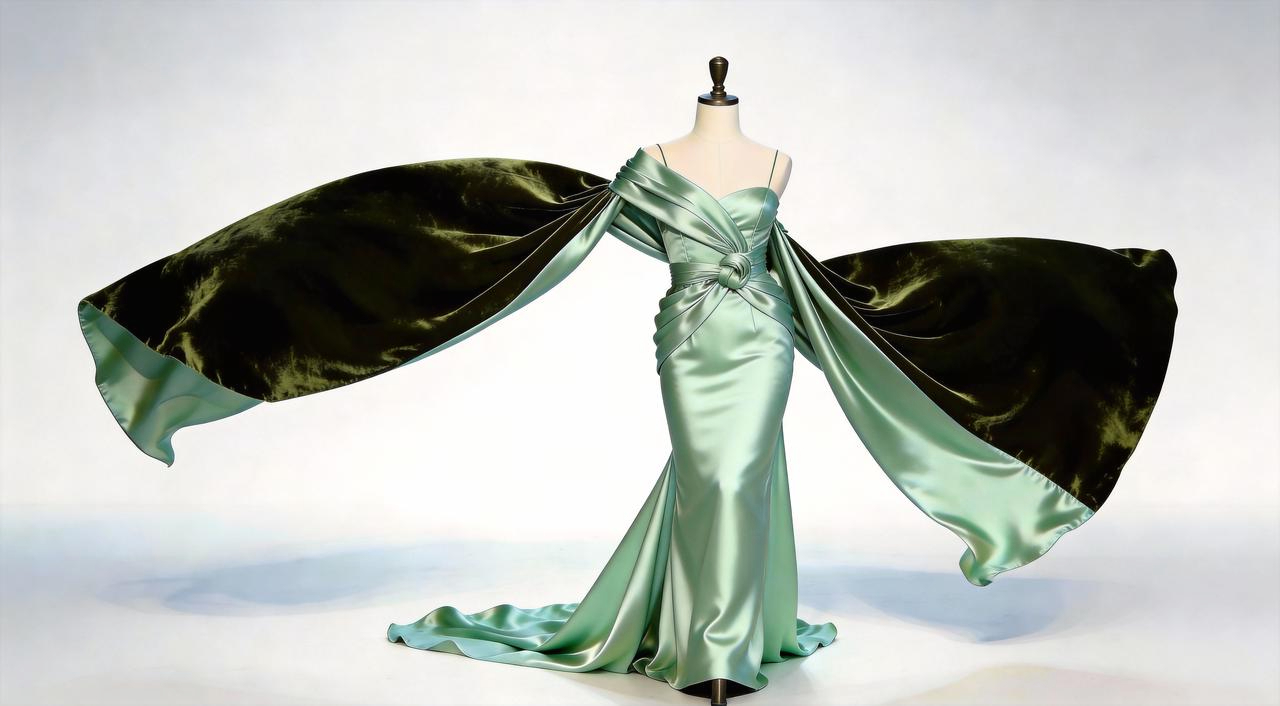
Prompt:Replace the outfit worn by the runway model in @Video 1 with the clothing shown in @Image 1, ensuring natural fit, consistent fabric behavior, and seamless integration with the model’s movement, lighting, and original camera motion.
MiniMax H3 was built for real production work, not just pretty demos. It handles on-screen text, subtitles, brand marks, UI motion, and product detail with the quality real creative teams need. These are the scenes where the MiniMax H3 video generator consistently delivers commercial-grade results.
Generate game CG, first-person gameplay shots, character PVs, and animated UI demos. H3 keeps HUD elements, menus, and character designs consistent from frame to frame.
From claymation and pixel art to anime and 3D fantasy styles, MiniMax H3 holds a look across every shot. Bring a style reference and your characters stay on-model.
Turn product photos into polished showcase videos, feature explainers, and ad creatives. H3 renders brand text, packaging, and product details accurately.
Direct trailers, brand films, and short dramas with real camera language — rack focus, hard cuts, title cards, and synced sound design, all generated in one pass.
MiniMax H3 is built around three strengths — mix any reference into one shot, edit with a single sentence, and ship commercial-grade output in crisp 1440p with native stereo audio.
MiniMax H3 unifies generation, reference, and editing in one model. These complete features are available after purchasing a plan.
Describe a scene in plain words — up to 7,000 characters — and MiniMax H3 turns it into a 5–15 second video with motion, camera work, and sound. The more film language you use, the more directed the result feels.
Animate any photo, product shot, or illustration. Set a first and last frame to control exactly how a shot begins and ends, and H3 fills in smooth, natural motion between them at up to 1440p.
Every video comes out with two-channel stereo sound — ambience, effects, music, and lip-synced dialogue. No silent clips, no separate sound design step, no extra tools.
Upload a clip and tell H3 what to change: swap a character, remove an object, replace the background, relight the scene, or rewrite the dialogue. Unedited content stays stable frame to frame.
Combine up to 9 images, 3 video clips, and 3 audio tracks in one request. Keep a character's face consistent, copy choreography from a dance clip, or clone a voice from a sample.
Generate in 21:9, 16:9, 4:3, 1:1, 3:4, or 9:16 at 24 FPS. One AI video generator covers cinema-wide trailers and vertical phone-first content alike.
Most AI video tools do one trick. MiniMax H3 is an open, general-purpose multimodal model that understands your whole creative intent — text, images, sound, and video together — and turns it into finished, watchable content. It moves beyond single-task generation toward one model that can create, reference, and edit in the same conversation.
Feed MiniMax H3 up to 12 files at once — images, video clips, and audio. It understands the people, motion, emotion, camera work, and style inside each one, then merges them into a single coherent video.
Swap a cat for a dog, change a green screen into a fairytale forest, turn day into night, or rewrite a line of dialogue. H3 follows detailed edit instructions while keeping the rest of your footage untouched.
Every MiniMax H3 video ships with native stereo audio. Clone a voice from a reference clip, give characters new lines, and keep dialogue synced to lips and emotion automatically.
Rack focus, handheld shake, hard cuts, match cuts, title cards — describe the shot like a director and MiniMax H3 executes it. Your videos feel filmed, not generated.
Up to 1440p resolution at 24 FPS with accurate on-screen text, logos, and product details. H3 output is clean enough for ads, e-commerce listings, and brand films.
Choose a plan to use the MiniMax H3 AI video generator. No editing skills or software installation are required.
Whether you make content for fun or for a living, the MiniMax H3 video generator fits into how you already work — no new pipeline, no steep learning curve, just faster output.
Produce scroll-stopping shorts for TikTok, Reels, and YouTube daily. Generate vertical 9:16 videos with sound in minutes instead of editing for hours.
Test ten ad concepts before lunch. MiniMax H3 renders brand text and product shots accurately, so creative validation happens in hours, not weeks.
Turn flat product photos into listing videos that convert. Show your product in real scenes, with motion and sound, without booking a studio.
Previsualize scenes, pitch with moving storyboards, and explore looks before a single day on set. H3 speaks real camera language.
Create game CG, character PVs, and animated UI walkthroughs. Keep characters and interface elements consistent across every shot.
No skills required. If you can describe it, MiniMax H3 can film it. Start free and turn the ideas in your head into videos worth sharing.
From idea to finished video with sound in three simple steps. No timeline, no plugins, no experience needed — if you can write a sentence, you can direct MiniMax H3.
Type what you want to see, or add reference images, video clips, and audio. MiniMax H3 accepts up to 9 images, 3 videos, and 3 audio tracks in one request.
Pick your aspect ratio — from 21:9 cinematic to 9:16 vertical — and hit Generate. H3 creates a 5–15 second video with native stereo sound in one pass.
Not perfect yet? Tell H3 what to change in plain language and it edits the video while keeping everything else stable. Download in up to 1440p and share anywhere.
Thousands of creators, marketers, and studios use the MiniMax H3 AI video generator every day — for ads, game content, brand films, and daily social video. Here is what they are making with it, in their own words.
I made a full character PV for my game with MiniMax H3 in one afternoon. The menu UI stayed readable in every frame and the character never went off-model. That used to cost me a contractor and three weeks.
We tested every AI video generator on the market for stylized work. H3 is the only one that held our anime style across cuts. We now use it for pitch reels and animatics on every project.
Our team validates ad concepts with H3 before briefing the agency. We test ten directions in a day for basically nothing. The winners go to production; the rest never waste budget again.
We made a full brand film with MiniMax H3 using style frames as references. It kept the color story and typography consistent across every scene.
The instruction-following is scary good. I asked for a 60% suspense, 40% jazz title sequence with specific transitions, and H3 delivered exactly that — sound included. It's a real creative partner.
I made a full character PV for my game with MiniMax H3 in one afternoon. The menu UI stayed readable in every frame and the character never went off-model. That used to cost me a contractor and three weeks.
We tested every AI video generator on the market for stylized work. H3 is the only one that held our anime style across cuts. We now use it for pitch reels and animatics on every project.
Our team validates ad concepts with H3 before briefing the agency. We test ten directions in a day for basically nothing. The winners go to production; the rest never waste budget again.
We made a full brand film with MiniMax H3 using style frames as references. It kept the color story and typography consistent across every scene.
The instruction-following is scary good. I asked for a 60% suspense, 40% jazz title sequence with specific transitions, and H3 delivered exactly that — sound included. It's a real creative partner.
I uploaded four product photos and got a listing video with music and a voiceover the same day. My click-through rate on the new listings is up 38%. H3 even got the label text on my packaging right.
I ship five vertical videos a week for three brands. MiniMax H3 gets me from brief to draft in under an hour, with sound already synced. My old workflow needed a videographer and two review rounds.
Clients stopped asking 'can you show me first?' because now we always can. MiniMax H3 turns a mood board into a moving, sounding proof of concept overnight. It changed how we pitch.
I feed H3 a UI screenshot and get back a polished product walkthrough with scroll animations and hover states. My clients think I doubled my team. It's just MiniMax H3 and me.
I'm not technical at all. I typed a description of my candles in a cozy winter scene and MiniMax H3 gave me a video I was proud to post. My first try, free, and it looked professional.
I uploaded four product photos and got a listing video with music and a voiceover the same day. My click-through rate on the new listings is up 38%. H3 even got the label text on my packaging right.
I ship five vertical videos a week for three brands. MiniMax H3 gets me from brief to draft in under an hour, with sound already synced. My old workflow needed a videographer and two review rounds.
Clients stopped asking 'can you show me first?' because now we always can. MiniMax H3 turns a mood board into a moving, sounding proof of concept overnight. It changed how we pitch.
I feed H3 a UI screenshot and get back a polished product walkthrough with scroll animations and hover states. My clients think I doubled my team. It's just MiniMax H3 and me.
I'm not technical at all. I typed a description of my candles in a cozy winter scene and MiniMax H3 gave me a video I was proud to post. My first try, free, and it looked professional.
The editing side is what sold me. A client wanted the background of an interview changed — I typed one sentence into MiniMax H3 and the lighting on the subject matched the new scene automatically.
I previsualized my entire short film in MiniMax H3 before we shot a single frame. Rack focus, match cuts, even the title cards — it understands director language, not just keywords.
The native audio is the killer feature. Every clip comes out with ambience and effects already in place. I dropped my sound design plugin subscription the week I started using H3.
We launched with a MiniMax H3 demo video instead of hiring a production company. Investors watched a 15-second cinematic product story that cost us almost nothing to make.
The editing side is what sold me. A client wanted the background of an interview changed — I typed one sentence into MiniMax H3 and the lighting on the subject matched the new scene automatically.
I previsualized my entire short film in MiniMax H3 before we shot a single frame. Rack focus, match cuts, even the title cards — it understands director language, not just keywords.
The native audio is the killer feature. Every clip comes out with ambience and effects already in place. I dropped my sound design plugin subscription the week I started using H3.
We launched with a MiniMax H3 demo video instead of hiring a production company. Investors watched a 15-second cinematic product story that cost us almost nothing to make.
Cancel anytime
0.025 / credit
Billed $ yearly179· Save $179.8
0.017 / credit
Billed $ yearly299· Save $299.8
0.014 / credit
Billed $ yearly599· Save $599.8
0.012 / credit
Billed $ yearly1,199· Save $1,199.8
Starting video credits use each model’s default or lowest valid configuration. Duration, resolution, audio, and reference media affect the final quote. Annual plans lower the purchase cost of credits, but each generation costs the same as on monthly plans and credit packs.
Everything you need to know about the MiniMax H3 AI video generator — from inputs and resolution to editing, licensing, and how to get the best results from your prompts.
MiniMax H3 is a new-generation general-purpose multimodal video model. Instead of treating image, video, and audio tasks separately, H3 understands text, images, video clips, and audio together as one creative context, then generates coherent videos with native stereo sound. It handles generation, reference-based creation, and precise editing in a single model — a step from specialized task models toward general multimodal intelligence. In practice, that means you describe an outcome once and MiniMax H3 handles the visuals, motion, camera, and sound as one job.
Contact MiniMax H3 at hi@wesing.ai
Join creators, marketers, and studios using MiniMax H3 to turn ideas into cinematic videos with sound. Create an account, choose a plan, and start without installing software.


